
NDIS Participants may be asked for a copy of their NDIS plan, perhaps by service providers, Plan Manager, or health professionals. It is crucial for some NDIS providers to have a copy of their participant NDIS plan to make sure you receive the right support you need as a participant.
Whether you are agency managed, plan managed, or self managed, you can view and download your NDIS plan via the NDIS Myplace Participant portal by following the step by step guide below:
1. Log in to the MyGov website and choose National Disability Insurance Scheme from the set of “Your services” buttons.
2. Choose from the “Acting as” drop down menu at the top right whether you’re an NDIS participant or a Nominee.
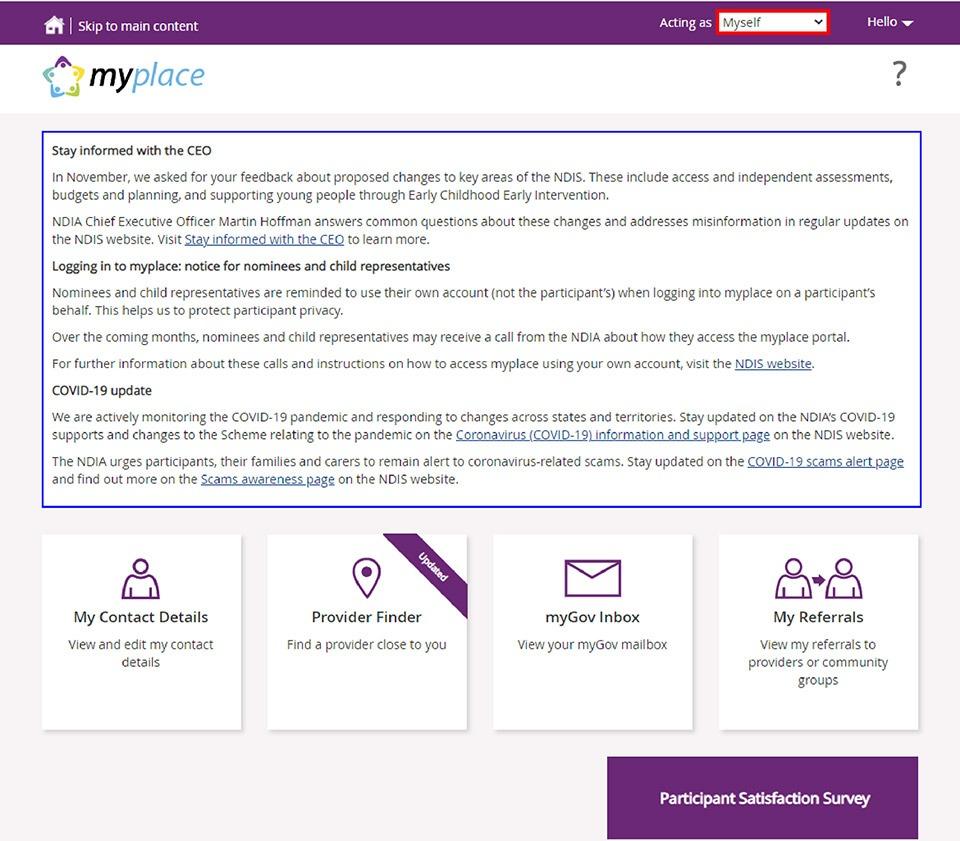
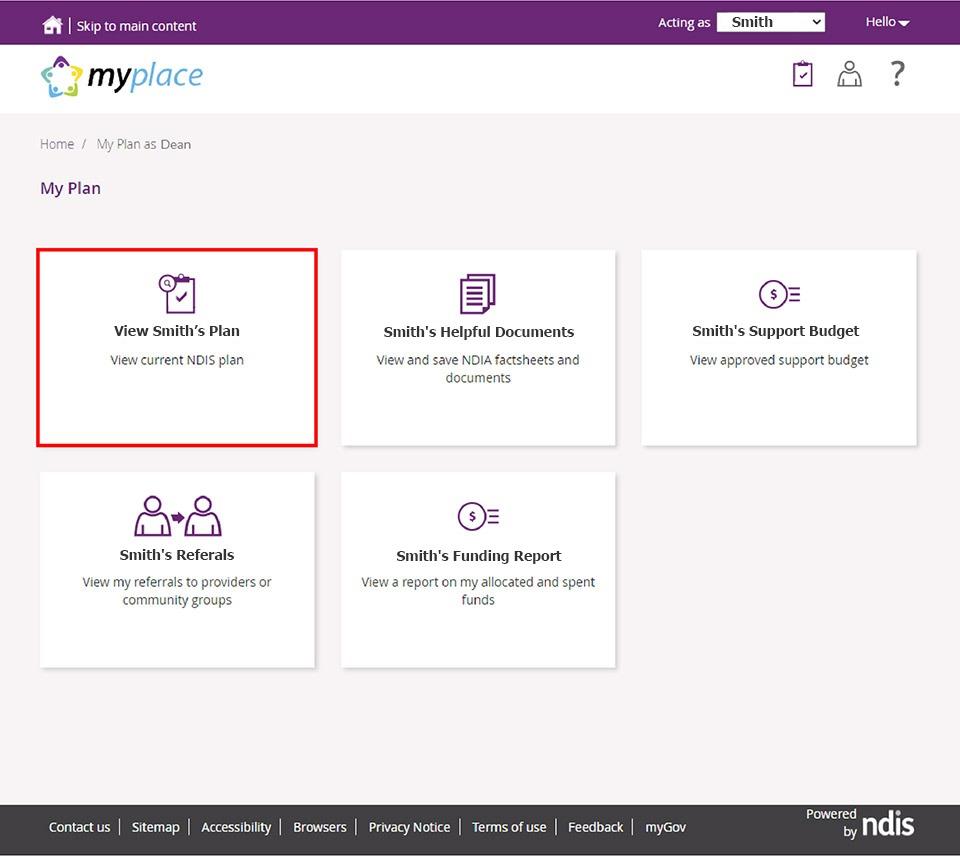
3. If you’re a participant, click on “My Plan”, if you’re a nominee the button will instead say “Smith’s Plan”

4. Then click on “View My Plan” or “View Smith’s Plan” if you’re a nominee.
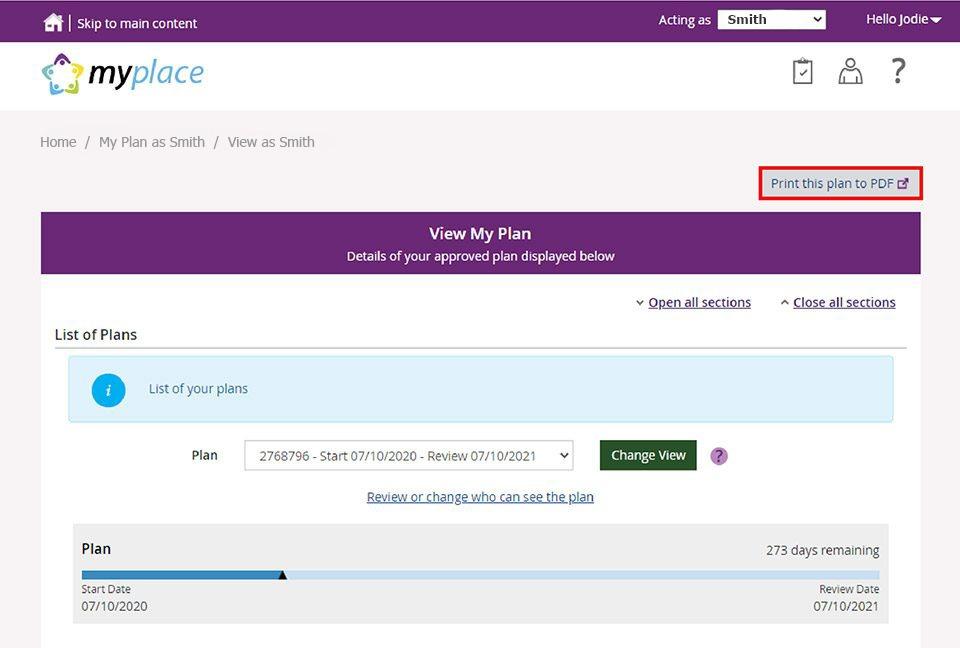
5. Make sure you select the right plan if you have more than one NDIS Plan, then click “Print this plan to PDF” and your plan will show in a new window on your browser. From there you can download, or print your NDIS Plan.
We hope this has solved your problem, if you have any other enquiries you can easily get in touch with our dedicated support team via phone 1300 600 200 or by sending an email to admin@getmycare.com.au. Our admin staff eager to assist you with your enquiry.